PDF editor for your Mac · Free to try · Pay once
A simple, bare-bones PDF editor.
Click the text in any PDF and change it, right on the page. Your files stay on your computer. Try it free, then pay once to save, and every update is yours for life.
- Free to try
- One-time payment
- No account
- Works offline
- For macOS
Private by design
Your PDFs never leave your computer.
Contracts, medical forms, tax papers, school records. The files people most need to edit are the ones they least want to upload. SkeletonPDF does all of its work on your own machine, including reading scanned pages and matching fonts.
There is no cloud to sync to and no account to sign in to. The app doesn't track what you open or what you change. Read the privacy policy for the full detail, in plain language.
SkeletonPDF never goes online by itself.
No background connections, no tracking, no telemetry. It connects only when you click Activate, Move licence here or Check for updates. Activating sends your licence key, your email and a random device ID, so your plan can count its devices. Your documents are never sent.
SkeletonPDF
- Where your file goes
- Nowhere
- Account required
- No
- Tracking and analytics
- None
- Internet needed
- Only to activate
- Goes online
- Only when you click
- Original file
- Never changed
- Monthly fee
- $0.00
What it does
Six things, done well.
SkeletonPDF is for changing the words in a PDF. It leaves out the rest on purpose, so there is less to learn and less to get in your way.
Edit text in place
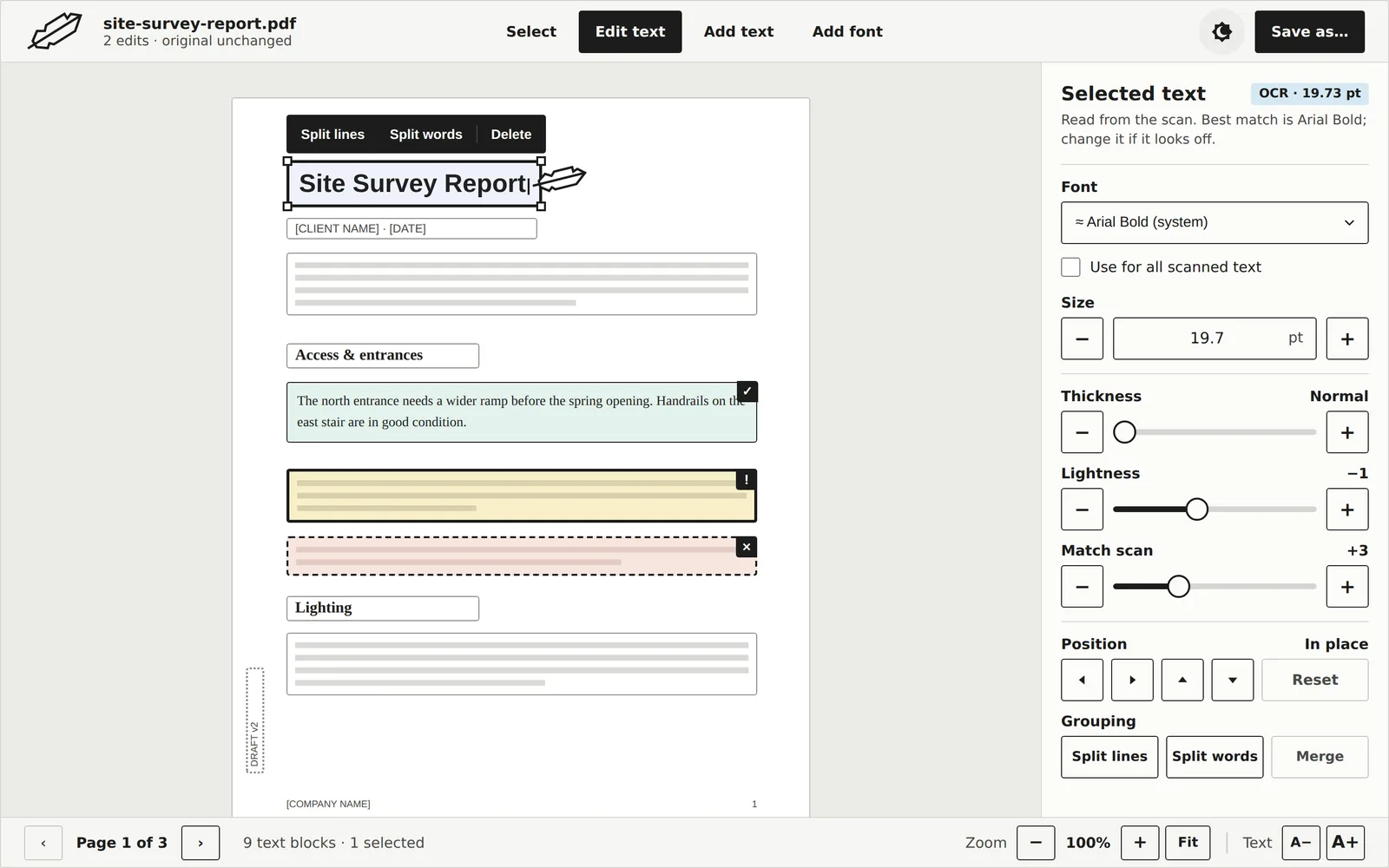
Click a line and type. SkeletonPDF keeps the original font, size and position, so the page still looks like itself.
Works on scans
Scanned pages are read on your device. Adjust thickness, lightness and scan texture until new words blend in.
Matches the font
It finds the closest font it can. If one is missing, drop in the .ttf or .otf file and carry on.
Split and merge
Fix how lines are grouped. Split a block into lines or words, or merge several into one.
Add new text
Draw a box anywhere on the page to fill in a form, add a note or correct a date.
Original kept safe
Save as writes a new PDF. The file you opened is never touched, so you can always go back.
How it works
Open, type, save.
Open a PDF
Drop a file on the window or press ⌘O, then click Edit text. Every text block gets a thin outline so you can see what can be edited.
Click and type
Double-click a block, or press Return, and change the words. The page updates as you type.
Save a new copy
Choose Save as. You get a fresh PDF with your changes, and your original stays exactly as it was.
Accessibility
Easy on the eyes.
SkeletonPDF is built for people who find most software too small, too pale or too busy. Read the accessibility statement.
Hyperlegible type
Set in Atkinson Hyperlegible, a typeface designed for readers with low vision.
Text size control
Make every label and button larger from the status bar.
Never colour alone
Edited, missing and deleted text each has its own symbol and line style.
Light and dark
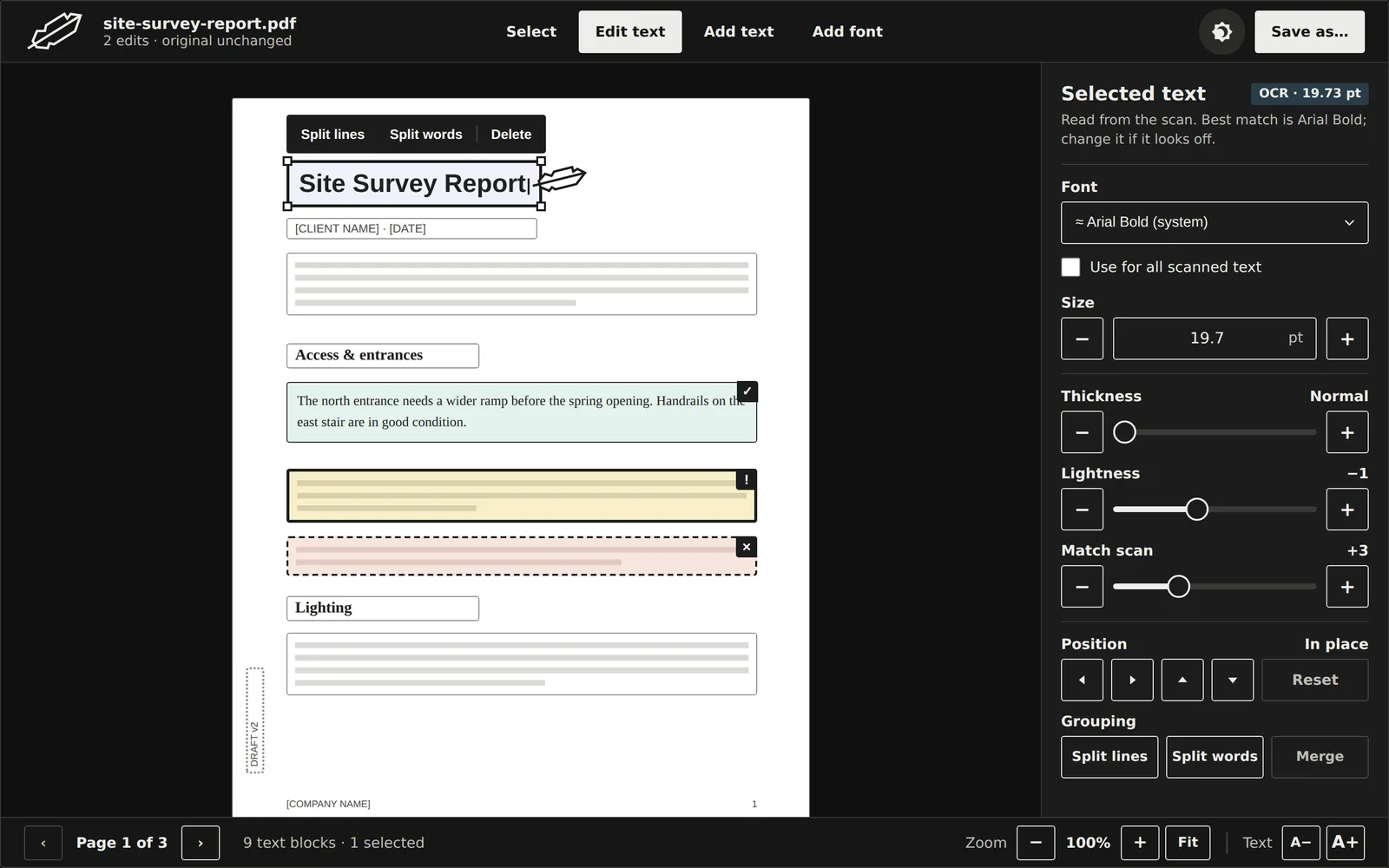
Soft black on off-white, or the reverse. No glare, no grey-on-grey.
Keyboard friendly
Arrow keys, Tab, Return and Delete work on the page, and every command has a shortcut in the menu bar.
Big targets
The main buttons are 44 pixels tall, so they are easy to hit.
Try it free
Edit first. Pay only if it works for you.
Download SkeletonPDF for free and try every feature on your own PDFs. Open them, change the text, fix scanned pages and see the result on screen. When you're happy, buy a licence to save your edited files.
The first Mac build is almost ready. When it lands: no account, no email address, no time limit. Windows is on the way.
SkeletonPDF
| Feature | Free | Licence |
|---|---|---|
| Open any PDF | ✓ | ✓ |
| Edit and add text | ✓ | ✓ |
| Scanned pages and font matching | ✓ | ✓ |
| See every change on screen | ✓ | ✓ |
| Save your edited PDF | - | ✓ |
| Lifetime updates | ✓ | ✓ |
Pricing
Pay once. Use it for life.
A licence unlocks saving. Every plan has every feature and every future update; the only difference is how many computers you can use it on. Every purchase is covered by a 100% satisfaction guarantee: a full refund within 7 days.
1 device
$9.99 per device
- Lifetime updates
- Every feature
- Works offline
- 7-day money-back guarantee
3 devices
$4.33 per device
- Lifetime updates
- Every feature
- Works offline
- 7-day money-back guarantee
7 devices
Lowest price per device$3.57 per device
- Lifetime updates
- Every feature
- Works offline
- 7-day money-back guarantee
Prices in US dollars. Sales tax or VAT is added at checkout where required. Checkout is handled by Lemon Squeezy. A device is one computer, and you can move your licence to another computer up to 3 times a year. See the terms of sale and refund policy.
Questions
Frequently asked.
Can I try it before I buy?
Yes. Download SkeletonPDF for free and use it on your own files for as long as you like. You can open PDFs, change the text, work on scanned pages and see the result on screen. To save an edited PDF, you need a licence. Enter your email and licence key in the app, click Activate, and saving is unlocked straight away, with no reinstall.
Is SkeletonPDF a subscription?
No. You pay once, from $9.99, and the licence is yours for life. Every update and every new version is included, so you will never be asked to pay again for the plan you bought. There is no monthly fee and nothing to renew or cancel.
Is it safe to edit confidential PDFs with SkeletonPDF?
It is made for exactly that. Online PDF editors usually ask you to upload your file to their servers. SkeletonPDF opens, edits, previews and saves your PDF on your own computer, so contracts, medical forms and tax papers never leave it. There is no account that could be broken into and no cloud copy of your files, and Save as writes a new PDF, so your original is never changed.
Does SkeletonPDF ever connect to the internet?
Only when you click a button that says so. SkeletonPDF never goes online by itself: no background connections, no usage tracking, nothing at launch. Your documents are never sent anywhere.
Activate and Move licence here send your licence key, your email and a random device ID, so we can count devices against your plan. After that the licence is checked on your own computer, so the app works with no connection. Check for updates asks for the newest version and downloads it only if you say so; it sends no licence key, email, device ID or usage data. Our server keeps no record of your internet address.
What counts as a device, and can I move my licence?
A device is one computer. The 3-device plan lets you activate SkeletonPDF on up to three of your computers. To use it on a new computer, click Move licence here on that computer; you can move a licence up to 3 times a year.
What does "lifetime updates" mean?
Every update and every new version of SkeletonPDF we release is free for as long as we make the app. You will never be asked to pay again for the plan you bought.
Can I add more devices later?
Yes. Email us with your order number and you pay only the difference between your plan and the bigger one.
Will it work on my scanned PDFs?
Yes. SkeletonPDF reads the text in scanned pages on your device and suggests the closest font. You can fine-tune thickness, lightness and scan texture so your changes blend in. Very low-quality or rotated scans may need more adjusting.
Which computers does it run on?
Macs with Apple silicon. The download section above shows the exact macOS version this release needs. Windows is on the way. If it doesn't run on your computer, you get your money back.
What if it isn't right for me?
Every licence comes with a 100% satisfaction guarantee. Ask within 7 days of buying and you'll get all of your money back. No questions, no forms. And since you can try everything free before you pay, you'll know what you're getting. See the refund policy.
Do you collect any of my data?
Not from your documents, ever. To sell you a licence we need your email address and the details our payment provider requires. This website sets no cookies and runs no analytics; it only keeps anonymous counts, such as how many times the download was clicked each day. The privacy policy lists everything.
Fix that PDF in the next minute.